Recover your lost or deleted photos, videos, and other files with DiskDigger!
Get Official App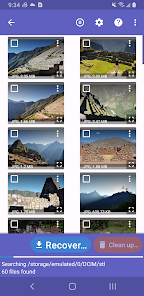
DiskDigger is one of the most trusted and widely used data recovery applications for Android, designed to help users recover accidentally deleted photos, videos, documents, and other important files directly from their device's internal storage or memory cards. Whether you lost precious family photos, important work documents, or memorable videos, DiskDigger scans your device thoroughly using advanced file carving algorithms to locate and restore recoverable data, even from formatted or corrupted storage partitions.
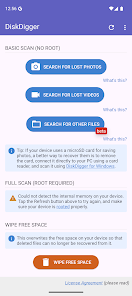
The app offers two powerful scanning modes to suit different recovery needs. The basic scan mode works without root access and quickly searches your device's cache and thumbnail directories to recover recently deleted photos and images. For deeper and more comprehensive recovery, the full scan mode (which requires root access) performs a low-level sector-by-sector analysis of your entire storage device, capable of recovering files that were deleted weeks or even months ago, including videos, music files, documents, and archives in formats like JPG, PNG, MP4, AVI, PDF, DOC, and ZIP.
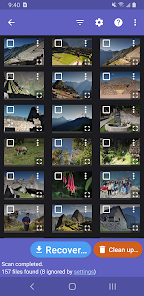
Once recoverable files are found, DiskDigger provides a convenient preview interface that lets you browse through the results, select specific files to restore, and save them directly to your device, upload them to cloud storage services like Google Drive or Dropbox, or share them via email. The app also includes a built-in file wipe feature for users who want to permanently and securely erase sensitive files beyond any possibility of recovery, making DiskDigger a complete file management and recovery solution for Android users worldwide.
Yes, this review links directly to the official Google Play Store, ensuring the safest installation.
 EvoMK
EvoMK